You can download the official joekr123 app directly from this page to play all game types on a single smartphone. This page also includes step-by-step installation instructions and solutions for common issues.
The joekr123 download page is a one-stop landing page that helps Myanmar users find the app, choose the right version, and complete installation. Because Google Play Store policy does not allow online gaming apps, Android users must download the APK directly. This page also explains the separate installation method for iOS users.
Since most smartphone users in Myanmar use mid-range Android devices, the Dev Team has confirmed that the joekr123 APK is optimized to run smoothly on phones such as the Samsung Galaxy A Series, OPPO A Series, and Xiaomi Redmi Series. Players have noted that the app works on devices with as little as 2 GB of RAM and requires only 50 MB of storage space, making it installable even on phones with limited storage.
Playing through the joekr123 app instead of a browser gives you faster loading times, push notifications, and secure access via biometric login. App You can read more details on this page. This page will first walk you through how to download and install the app.
The joekr123 app is available here for both Android APK and iOS.
Follow the steps below one by one to install the joekr123 APK on your Android device.
Open Phone Settings and Security (or Privacy) section. For Android 7.0 and below, turn on the "Unknown Sources" toggle. For Android 8.0 and above, enable "Install Unknown Apps" for your browser app — since this is a per-app permission, you only need to allow it for the browser you are using.
Open the joekr123 Official Download Page in your phone's browser and Download Android APK Tap the button. The file is approximately 45 MB, so downloading over Wi-Fi will be faster. You can also download using mobile data, but be mindful of your data usage — in areas with good 4G speeds such as Yangon and Mandalay, the download can complete within minutes even on mobile data.
Once the download is complete, tap the notification at the top of the screen Notification Swipe down and tap the downloaded file — or File Manager Open the app and look for the joekr123 APK file in your Downloads folder. If a permission request appears when you open it, Install Tap to continue.
Once installation is complete, Open Tap the button — or find the joekr123 app icon on your home screen and open it. If you already have an existing account, Log In — If you don't have an account yet Register Tap to proceed. Note that once installation is complete, you can go back to Settings and disable Unknown Sources.
Installing the joekr123 app on an iPhone or iPad differs from the Android APK method — please read the dedicated iOS installation guide.
Open the joekr123 download page on your iPhone and Safari Browser Open only via Safari — please note that iOS profile installation does not work through Chrome, so you must use Safari.
When you tap the iOS Download button Profile Download A prompt will appear — tap Allow. Once the profile is downloaded, you must complete the Profile Install in the Settings app.
Open the iPhone Settings app and at the top of the screen, tap Profile Downloaded Tap here — or find it via Settings › General › VPN & Device Management. Tap Install, enter your passcode, and confirm.
Go to Settings › General › VPN & Device Management › Developer App and locate the joekr123 developer name. Trust Complete this step — without it, the app cannot be opened. Once Trust is confirmed, you will be able to launch the app directly from your Home Screen immediately.
Once you have downloaded and installed the app, you will find the following sections inside:
Baccarat, Roulette, Blackjack, and Live Casino games — you can jump straight into tables from top providers directly within the app.
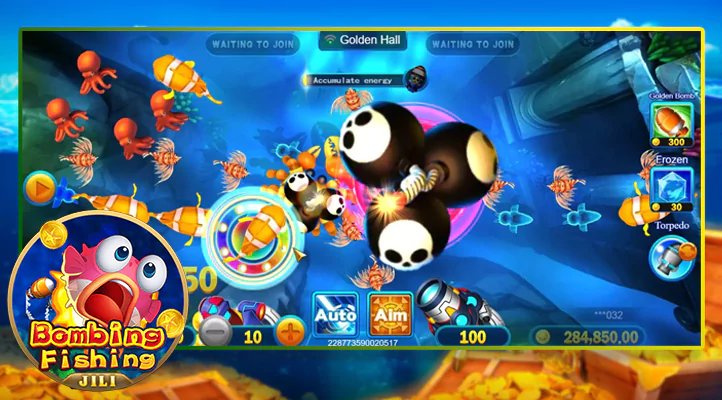
Ocean King, Fishing War, and the Fish Hunter series — the app delivers smooth touch controls and 60fps animations for a better gameplay experience.
From the Premier League to the Myanmar National League — view live odds and place bets directly in the app, with the Cash Out feature available instantly.
Multiplayer Bingo rooms are accessible from the app and include a real-time chat function, so you can play interactively with other players from Myanmar.
You can deposit and withdraw in MMK via KBZPay, Wave Money, AYA Pay, and CB Pay directly within the app — no need to switch to a browser.
| Features | Android APK | IOS App | Browser |
|---|---|---|---|
| Push Notification | |||
| Biometric Login | |||
| In-App Payment | |||
| Battery Saving | |||
| Is installation required? | APK Install | Profile Install | Not required |
| Low-Data Mode |
Download from the official source only: Do not download the joekr123 APK from unofficial Telegram channels, third-party sites, or links shared by friends — APK files from those sources may contain malware that can steal your account data. The joekr123 Security Team advises downloading only from the official joekr123 download page.
Common issues Myanmar users encounter when downloading the joekr123 app, and how to fix them quickly.
The APK file may not have downloaded completely. Delete the APK and download it again — it is recommended to use a Wi-Fi connection when downloading.
Check your Android version — installation requires 5.0 or higher. This error can also occur if storage space is insufficient, so please free up at least 50 MB and try again.
Go to Settings › General › VPN & Device Management and check whether Developer Trust has been granted — if you have not yet trusted the developer, the app cannot be opened.
Insufficient RAM may be the cause — close background apps and relaunch the joekr123 app. Clearing the cache may also help resolve the issue.
Check your internet connection — make sure you have an active 3G/4G or Wi-Fi connection, then verify that your username and password are correct. If you have 2FA enabled, remember to enter the OTP as well.
Using an outdated version typically triggers a login error. Visit the joekr123 official download page, download the latest APK, and reinstall — your account data will not be lost.
Whether you use an Android phone or an iPhone, players can install the joekr123 app and enjoy Casino, Fish games, Wagering, and Bingo in MMK directly from their smartphone.
Please note: Games available on the joekr123 app are for entertainment purposes only. Users under 18 are not permitted to play. Responsible Gaming Please read this first.